Ransomware protection for business used to be something you could leave to the IT people. Not anymore. One wrong click on a convincing email can lock up a whole company before lunch, and every screen ends up showing a ransom note. For a big company, it is a rough quarter. For a smaller one, usually the end.
That is exactly what we are going to sort out here. We will cover how these attacks actually happen and why they have turned so much nastier lately. You will also see the defenses that hold and what to do if one gets through. A lot of it comes down to tightening the information risk already inside your systems before someone outside goes looking.
In This Article:
What Ransomware Actually Is, and How an Attack Unfolds
Ransomware is software that locks you out of your own files and then asks for money to give them back. Usually it pulls this off by encrypting files. Some versions freeze up the whole computer. Others are choosier, going after your most valuable files and leaving a note with a deadline and a crypto wallet to pay into.
How a Typical Ransomware Attack Unfolds
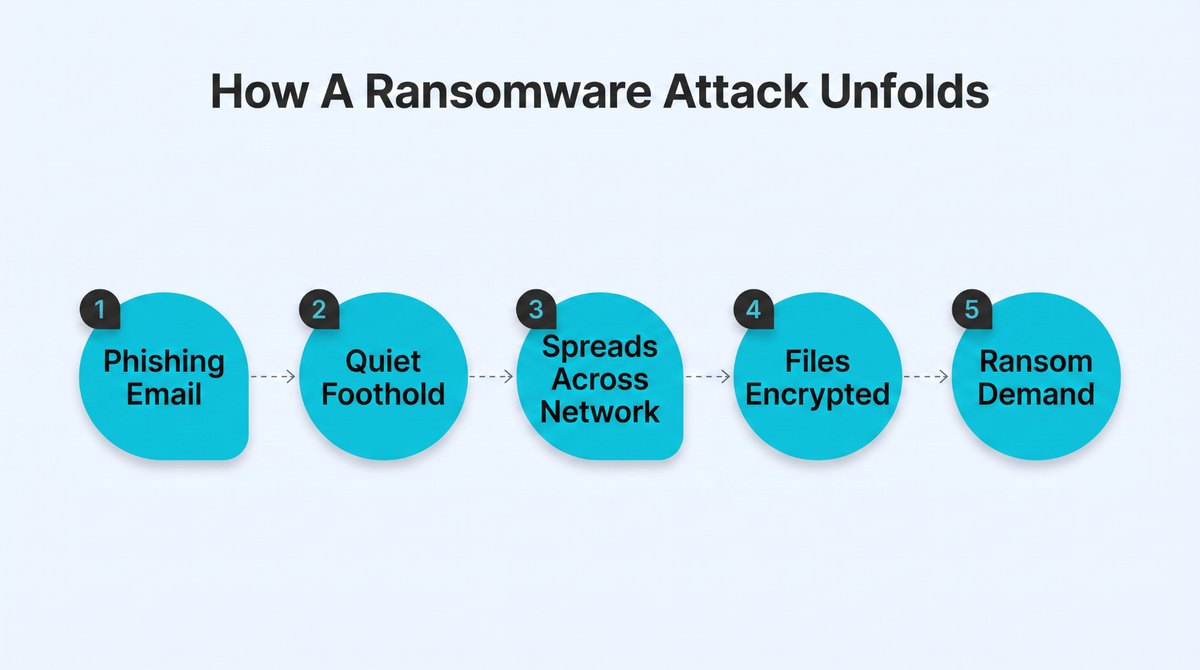
The pattern is nearly always the same. Someone clicks a bad link or opens the wrong attachment, and the attacker gains access unnoticed. Then they take their time, drifting machine to machine and hunting down your backups and best data. Only when they are ready do they encrypt it all. By then they have often been inside for weeks.
The Doors Attackers Walk Through Most Often
Most of us picture hacking as a Hollywood break-in. It is rarely that dramatic. Attackers just find a door you forgot to lock. A believable phishing email is the classic way in, but wide-open remote-access ports and software you never updated work just as well. Old or stolen passwords let them stroll in cheaply too. The more forgotten entry points you leave open, the larger your attack surface becomes.
Why Ransomware in 2026 Does More Damage Than It Used To
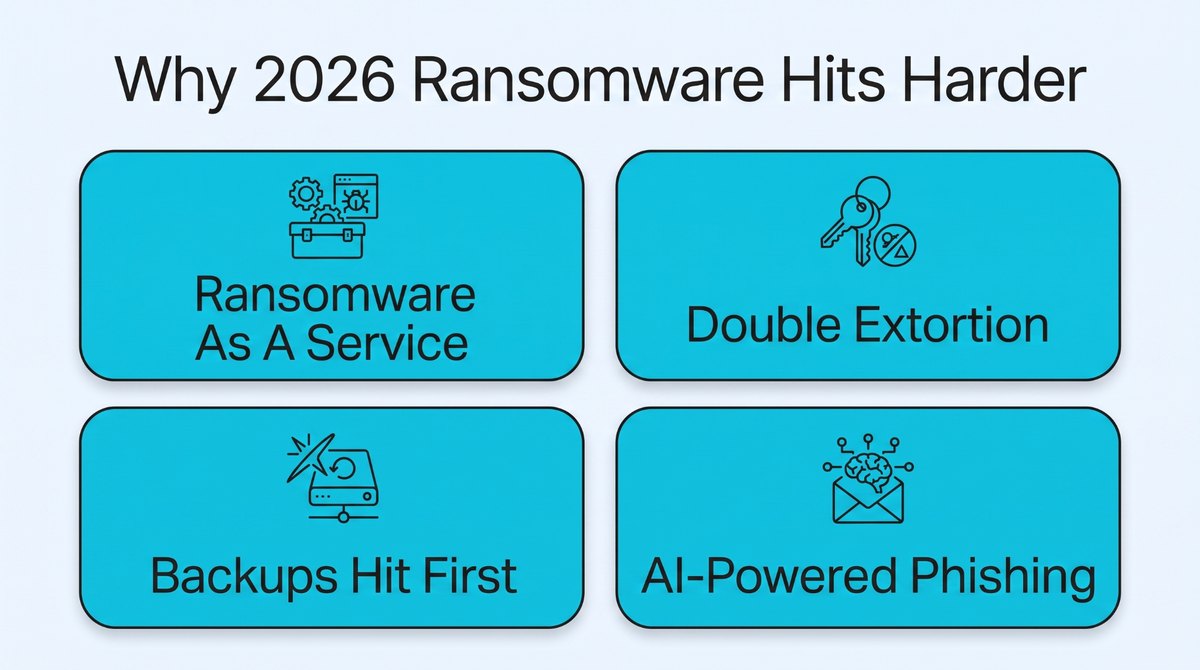
Ransomware itself isn’t new, so it is fair to wonder why everyone is so worked up about it now. The honest answer is that the criminals behind it turned the whole thing into a highly organized industry, and business is booming.
More people with access means far more attempts flying around, which is why many ransomware attacks now start with surprisingly ordinary phishing or stolen credentials. The scale is hard to ignore. Ransomware showed up in 44% of confirmed data breaches in 2025, going by Verizon’s yearly report, which is roughly double where it was only a few years ago.
1. Ransomware-as-a-Service Put Attacks in Anyone’s Hands
You don’t have to be some genius hacker anymore to pull off a ransomware attack. Criminal crews now rent the whole kit out as a streaming subscription, dashboards and customer support included. More people with access means far more attempts flying around, and a much better chance one of them finds a business that looks a lot like yours.
2. Double and Triple Extortion Changed the Stakes
Locking up your files used to be the whole game. Now it is just the opening move. Before they encrypt anything, attackers first copy your critical data, then threaten to leak it publicly unless you pay. That is the nasty twist. Even flawless backups won’t protect sensitive data because the leak is a separate threat entirely.
This changes the math for anyone whose business runs on keeping secrets. Law firms are the obvious case. Their files aren’t ordinary data but privileged client information, so a leak isn’t an inconvenience. It is a breach of the one promise they can’t afford to break. The threat to publish scares them more than the lock does.
Take someone like Finch McCranie, a medical malpractice attorney. To do that work, they hold clients’ full medical histories and the private details of live lawsuits. If a crew got in and threatened to leak all that, restoring from backup wouldn’t help at all. The harm would be in the exposure, not the downtime.
So for a firm like that, the smartest move is to shrink what is even worth stealing. Encrypt sensitive files so a stolen copy is useless, and keep only as much client data as the work needs. When the ransomware threat is exposure, your plan has to answer for it.
3. Attackers Now Go After Your Backups First
The old advice was easy: keep good backups, and you are fine. Trouble is, attackers learned that too. One of their first moves now is to find your backups and wreck them, since a company that can restore won’t pay. If your backups are reachable from your network, they are a target, not a life raft.
4. AI Made Phishing and Targeting Sharper
The old phishing emails, all typos and awkward grammar, were easy to catch. Not anymore. Attackers use AI to write notes that sound just like your boss or a supplier you trust. If you have seen how well AI writes like a real person now, the danger is obvious. Tools that help teams spot machine-written text now matter too.
How to Protect Your Business From Ransomware: The Enterprise Ransomware Protection Layers That Actually Work
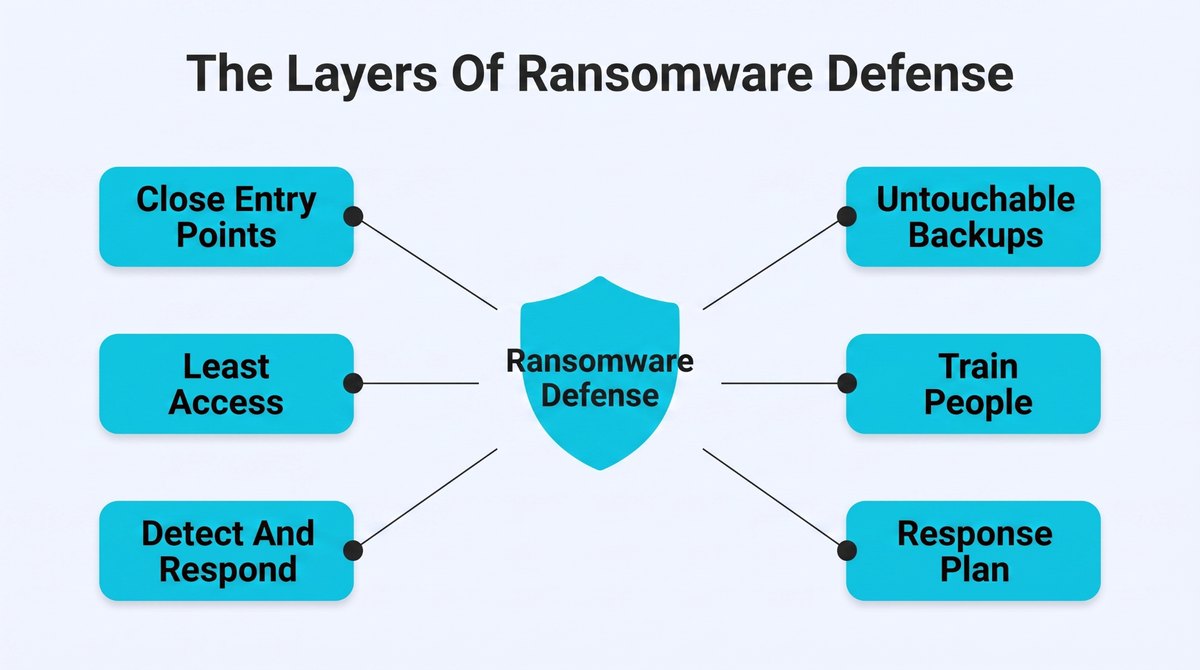
The good news is you don’t need a giant budget to get solid ransomware protection for business. There is no magic box that handles it all for you, though. What actually works is layering a few defenses, so when one lets something get initial access, the next one catches it. These 6 are the ones worth your time.
1. Lock Down the Entry Points
Almost every attack starts with the same security vulnerabilities – software months behind on updates or remote-access ports left wide open to the internet. Accounts guarded by nothing but a password are another. Shut these, and you turn away most attackers before they get going, since they nearly always take the easy route.
- Turn on multi-factor authentication for every account that can reach company systems.
- Patch your operating systems and important software on a set, predictable weekly schedule. Keep an eye out for unauthorized software too.
- Close or firewall any remote-desktop ports that are exposed to the open internet.
- Filter inbound email so obvious phishing and malicious software never reach your team.
2. Give People the Least Access They Need
When ransomware hits one laptop, the damage comes down to what that account could reach. If everyone can open everything, a single stolen login hands over the whole company. Keep the access controls strong and people limited to the systems their job actually touches, and one data breach stays a small fire. It is also central to keeping a grip on where your data ends up.
- Follow the zero trust security model: trust nobody by default and give each person access to only the systems their specific role actually requires.
- Use network segmentation so an infection cannot spread everywhere at once.
- Review who has privileged access regularly and remove any that aren’t needed.
- Revoke access the very moment someone changes role or leaves the company.
3. Put Advanced Threat Detection and Response in Place
Prevention buys you time, but a patient attacker eventually finds a way past it. What matters then is how fast ransomware protection solutions spot the problem and pull the plug. The catch is that real attacks hide inside a constant stream of harmless alerts. And a small team can’t watch everything and pick out the one that counts.
Basic antivirus or security software catches the things everyone already knows about, but modern ransomware is built to walk right past it, which is often where off-the-shelf tools stop being enough on their own. At minimum, every endpoint should have a centrally managed antivirus solution that your team can monitor and update from one place.
For larger environments, an infrastructure security agency can provide the people and monitoring needed to keep that coverage running around the clock. And what a lot of smaller teams do is bring in a managed service provider that puts AI and human analysts on the job together.
CyberProof’s agentic SOC setup is a good look at how this works out. AI agents pick up each alert and add context, then match it to known attacker patterns and go searching across your systems. What is left is a tidy summary a human analyst can actually judge.
The real payoff has little to do with automation for its own sake. What you get is the irrelevant stuff stripped away, so a person can jump on the two or three alerts that genuinely mean trouble before the encryption has time to spread. Anything actually risky still waits for a human to sign off on it.
For ransomware, that speed is everything. You want to catch the break-in during the quiet window before the real damage is done, not read about it in the note afterward. Build it in-house or hand it to a service. Either way, the goal is simply that someone or something is always paying attention.
- Deploy endpoint detection that flags unusual file and process behavior, not just known viruses.
- Make sure someone or something monitors alerts around the clock, every day.
- Write down exactly who acts, and how, the moment an alert fires.
- Rehearse your response so the first real alert isn’t the first attempt.
4. Build Backups Ransomware Can’t Touch
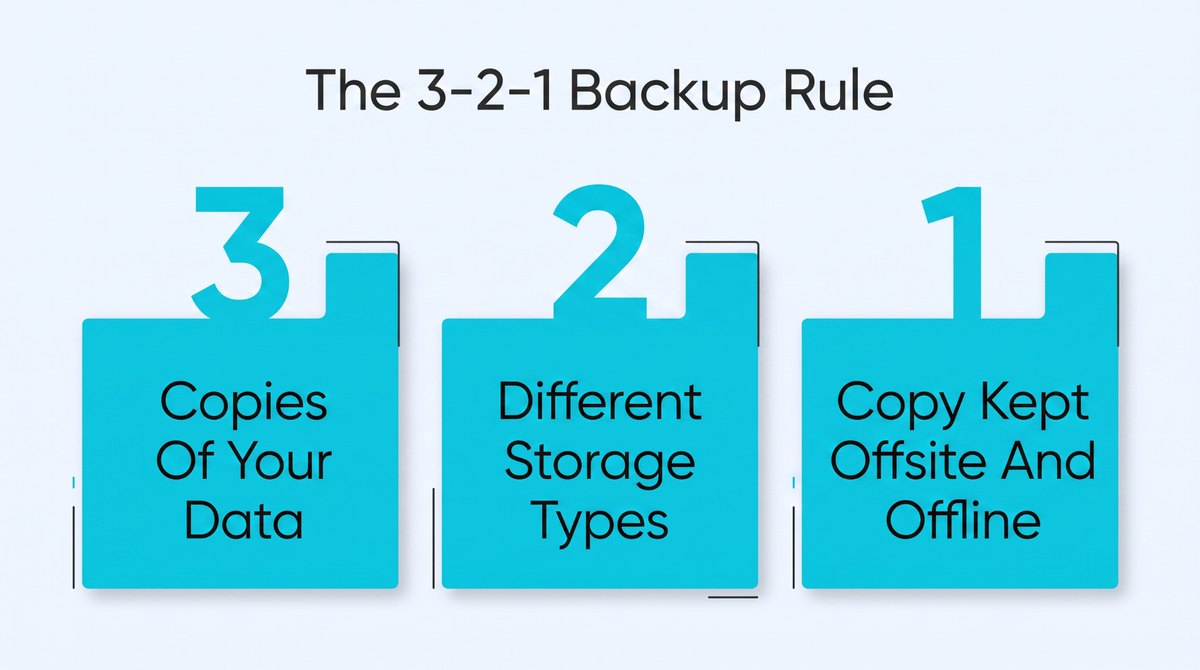
Good backups turn a disaster into a headache, but only if the attacker can’t get at them. A backup parked on the same network you are defending gets compromised along with everything else. The ones that save you are kept apart – locked so nothing can change them once written and tested often enough that you trust them.
A handy rule of thumb people start with is 3-2-1: three copies of your data, on two different kinds of storage, with one of them kept somewhere offsite and offline. Treat it as a floor you adjust from rather than gospel, based on how long your business could realistically limp along without its systems.
- Keep at least one backup data copy offline or in write-once immutable storage.
- Test a full restore regularly so critical asset recovery actually works when you need it.
- Store one copy in a separate cloud account with its own login credentials.
- Back up every critical service and system on a schedule, not only the file servers.
Backups seem like a boring job right up until the day the business can’t run without them. For any company that runs on a single always-on system, an outage isn’t a hiccup. It is the whole thing going quiet at once. Online shops feel this hardest of all, since a store that is down sells precisely nothing.
Picture how a subscription brand actually operates. Somewhere like Performance Lab keeps a storefront and a recurring billing engine humming day and night, with orders and card details all wired into systems that simply have to stay up. Lock those with ransomware, and it isn’t only files you have lost. You have lost the ability to sell at all.
For an operation like that, a backup only counts if it can haul the whole business back fast and clean. A copy that takes three days to restore still means three days with the lights off. That is exactly why those copies need to be locked and tested, and kept well away from anything an attacker can actually reach.
So backups aren’t really about squirreling away sensitive data. What they buy you is speed – how fast you get back on your feet when everything else is frozen. Set them up so an attack runs into a brick wall, and the worst day of your year turns into a bad afternoon instead.
5. Train the People, Not Just the Network
You can buy every tool going, and none of it matters if someone hands their password to a fake. Your people are the most-targeted way in, and also your best early ransomware defense if you let them be. The point isn’t to shame anyone for clicking. You are building the reflex to flag a dodgy email, not open it.
People really are the way in. Phishing emails kick off around 42% of ransomware breaches, which tells you pretty plainly where a bit of security awareness training pays off the most.
- Run short, realistic phishing attack simulations so people learn to spot the fakes.
- Make reporting a suspicious email a single click, with zero blame attached.
- Teach staff to verify money or data requests through a second channel.
- Refresh the vulnerability management training regularly because the tricks attackers use keep on changing.
6. Write the Response Plan Before You Need It
The worst moment to figure out your next move is while the screens are locked and everyone is panicking. A response plan is just a short, unglamorous document explaining who does what and in what order the moment an attack is confirmed. The businesses that have response and notification procedures recover quicker and make far fewer costly blunders.
A plan has one real weakness worth designing around, though. Writing the document is the easy part. Running it mid-attack is the hard part. The screens are locked. Three people are paging the same engineer. Leadership wants updates every 10 minutes, and nobody has actually told the customers a thing yet.
The teams that come through it cleanly tend to wire the plan into proper incident tooling well before they need it. Plenty run the whole thing on Atlassian’s tools.
Jira Service Management drives the major-incident process. Opsgenie handles the on-call paging so the right person actually picks up. Statuspage pushes customer updates, which saves someone drafting them by hand at 2am. Pull those together and the plan stops being a PDF and starts being something that runs itself.
Standing all that up takes some know-how. An Atlassian partner builds exactly this sort of incident workflow, so it is worth a look if you would sooner not assemble it from scratch. However you put it together, the point is the same. A plan only protects you if it fires the moment ransomware does, not after.
- List who to call first, from your IT lead to outside security services.
- Keep an offline copy of the plan, since your systems may be locked.
- Decide well in advance how and when you would bring in law enforcement.
- Assign one single person to handle all communication with staff and customers.
What a Ransomware Attack Really Costs a Business
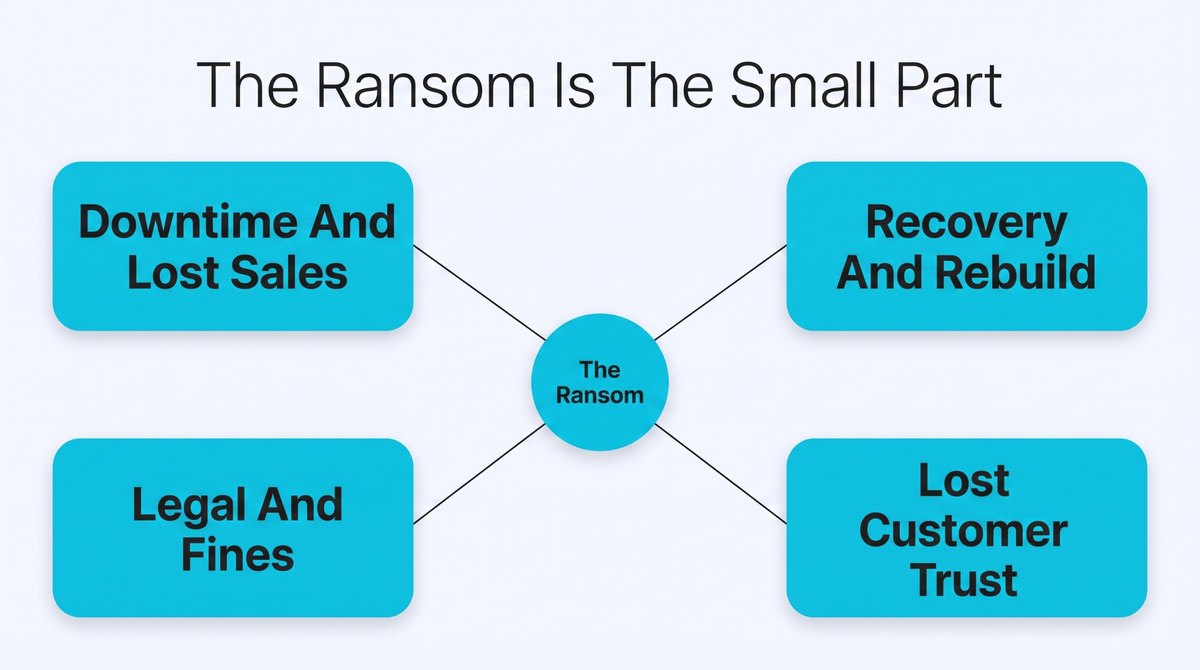
It is easy to assume the ransom is the cost of an attack. It almost never is. This is the side of ransomware protection for business that plenty of guides gloss over, and the bill has a habit of growing for months after the dust settles.
The totals get grim in a hurry. A single attack now averages somewhere between $1.8 and $5 million once you count downtime and recovery, and only a sliver of that is the ransom itself.
| Cost Type | What It Actually Involves |
| Ransom payment | The visible demand, with no guarantee of data recovery |
| Operational downtime | Days or weeks of stalled work and lost revenue |
| Recovery and rebuilding | Specialist help plus new hardware and rebuilt systems |
| Legal and regulatory | Fines and breach notifications, sometimes lawsuits |
| Reputation | Lost customers and trust that is slow to rebuild |
The Costs Nobody Puts on the Invoice
Everyone fixates on the ransom, but the real pain is everything around it. Days or weeks with the doors shut and no money coming in. The specialists and new hardware it takes to rebuild. Worst of all, the customer trust you spent years earning can vanish in a weekend, and that is far easier to break than to win back.
Why Paying the Ransom Doesn’t Guarantee Data Recovery
When everything is locked, paying can look like the quick way out. It usually isn’t the clean fix people hope for. Nothing guarantees the attacker hands your stolen data back. And plenty who pay get hit again, now marked as an easy target. Paying can also drag you into legal and regulatory trouble of its own.
Ransomware Incident Response: What to Do in the First 24 Hours of the Attack
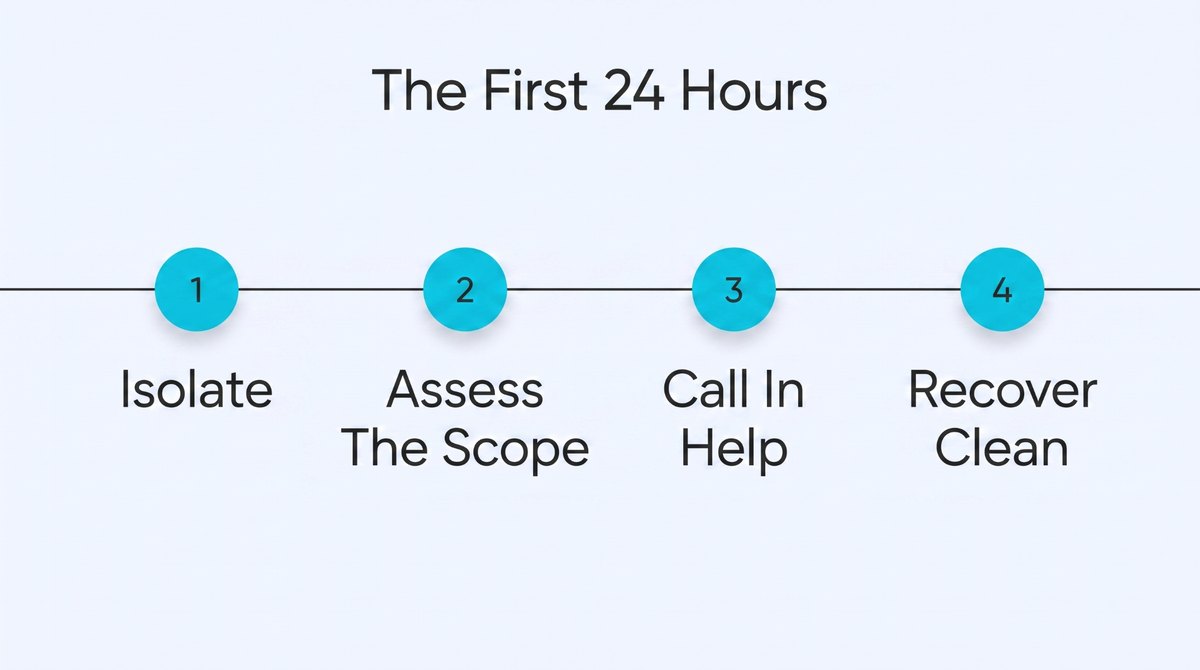
Even the best ransomware protection for business fails sometimes, and when it does, that first day pretty much shapes what happens next. Go slow and think here because a couple of panicked moves can turn a bad situation into a genuine catastrophe.
1. Isolate Before You Do Anything Else
The moment you suspect ransomware, get the affected systems off the network, so pull the cable or kill the Wi-Fi. That alone stops the encryption creeping onto shared drives and other devices. In some cases, you may need to keep the network temporarily offline. Fight the urge to shut everything down, though. A full power-off can wipe evidence the responders need later to work out what happened.
2. Figure Out What Is Hit and How Far
Once you have stopped the spread, check the damage. Work out which affected devices are locked and which accounts the attacker used, then how far they reached. Try to pin down the strain from the note or the file extensions too, since some have known flaws or even free decryptors. This picture drives every call you make next.
3. Bring in the Right People
This isn’t the moment to tough it out alone. Pull that response plan back out and start making the phone calls. Your technical people or an outside specialist first, then leadership. Loop in your legal counsel and insurer early too, since they usually have their own required steps. Many places also legally require telling regulators within a set window.
4. Recover Cleanly, Not Just Fast
The pressure to reopen is intense, but rebuilding onto a still-infected network just puts you back where you started. Make sure you have ruled out existing malware infections that could compromise the clean backup. Restore only from backups once the attacker is truly gone. Rushing is how companies pay twice. Once you are steady, run an honest post-mortem so the same door isn’t left open.
Conclusion
If you take one thing from all this: ransomware protection for business is a habit you keep up. The companies that survive an attack usually aren’t those who spent the most. They locked the easy doors and kept backups out of reach, then practiced the plan first.
At AudienceScience, most of what we think about is how businesses handle and make sense of their data, which is exactly what ransomware goes after. We put together practical guides like this one so teams make smarter, safer calls about the systems they rely on. There is more on handling data and technology risk over at audiencescience.com.
Burkhard Berger is the founder of Novum™. He helps innovative B2B companies implement modern SEO strategies to scale their organic traffic to 1,000,000+ visitors per month. Curious about what your true traffic potential is?