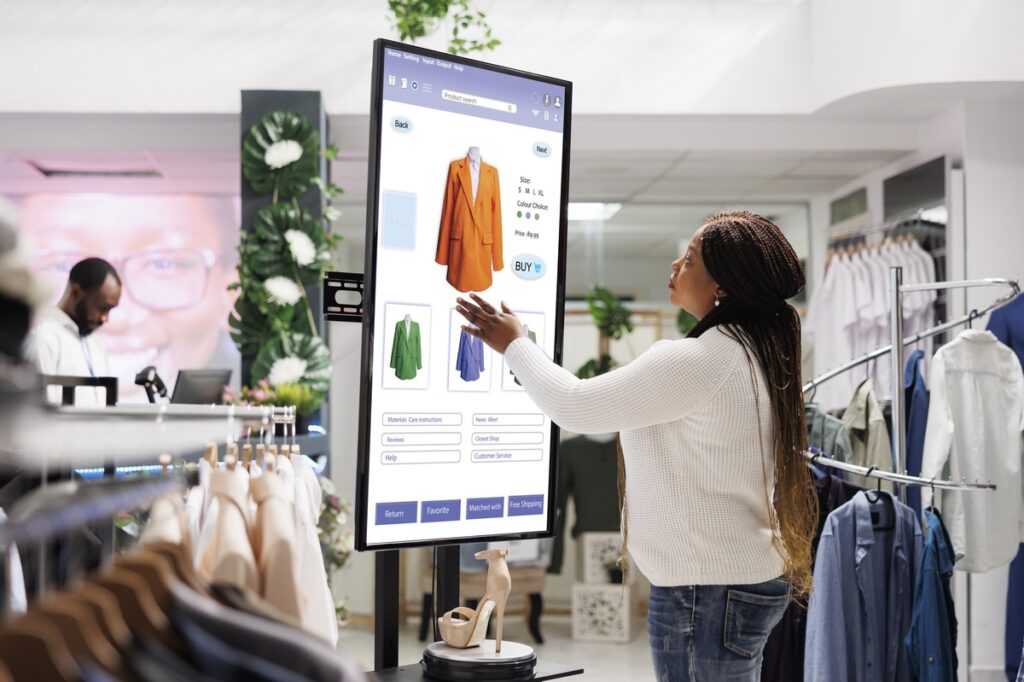
Digital screens compete with countless distractions every day. A message might appear for only a moment before viewers move on to something else. That short window makes design choices extremely important. When text, visuals, and layout work together, a simple screen can quickly capture attention and communicate ideas clearly to passing audiences.
Strong screen design depends on structure, clarity, and thoughtful visual balance. Businesses and organizations use structured layouts to present announcements, directions, or promotions in a way people can grasp instantly. Tools such as a digital signage template designer help organize text, images, and spacing so each screen remains clear and visually consistent across different displays.
In This Article:
1. Keep Messages Clear and Focused
Digital screens work best when viewers understand the message instantly. Long text blocks reduce readability because people rarely stop to read every word. Short statements and simple phrases help viewers process information quickly while passing by a display.
Strong screens follow a clear hierarchy. The main message appears first, followed by supporting information if necessary. Designers usually limit each screen to one key idea. When the message stays focused, viewers remember it more easily. Simple structure also improves readability across different environments such as retail spaces, office lobbies, and event venues.
2. Use Color and Contrast With Purpose
Color plays a major role in how people interpret visual content. High contrast between text and background improves readability, especially in bright environments where screens compete with surrounding lights. Clear contrast ensures the message remains visible even from a distance. A balanced palette helps maintain visual clarity. Designers usually rely on a small group of colors rather than a crowded mix.
Helpful color guidelines include:
- Choose one primary color that represents the main theme
- Use one or two supporting colors for emphasis.
- Keep background colors neutral to support readability.
- Avoid combining colors that reduce contrast or clarity
These small choices improve visual comfort and strengthen the overall message.
3. Structure Layouts That Guide the Eye
People typically scan digital screens rather than reading every detail carefully. A well-organized layout helps guide attention toward the most important information first. Designers arrange visual elements so viewers naturally follow a clear path from the headline to supporting content.
Numbered layout planning can simplify screen structure.
A simple layout approach may include:
- Place the headline at the top or center
- Add supporting visuals or icons nearby.
- Keep supporting text short and readable.
- Leave enough space between elements for clarity.
4. Visual Elements That Reinforce the Message
Images, icons, and short animations help viewers connect with information quickly. Visual elements should support the message rather than compete with it. Simple graphics communicate ideas faster than long explanations.
High-quality visuals also improve credibility. Low-resolution images or unrelated graphics reduce the impact of the message. Designers usually select visuals that reflect the purpose of the display, such as product highlights, directions, announcements, or schedules. A consistent visual style across multiple screens creates a more professional appearance.
5. Professional Expertise Improves Screen Strategy
Many organizations design digital signage internally, yet experienced professionals can refine the strategy behind each screen. Specialists understand layout balance, color psychology, and information flow across multiple displays.
A professional team may assist with several key tasks:
- Creating visual systems that maintain consistency
- Organizing content rotation across different screens
- Designing templates that simplify updates
- Aligning visuals with brand guidelines and audience behavior
Experienced designers also use tools like a digital signage template designer to create structured templates that teams can reuse easily across many displays.
Clear messaging, strong visuals, and thoughtful structure turn digital displays into powerful communication tools. Each tip above helps improve clarity, readability, and audience engagement. When screens use organized layouts, balanced color choices, and purposeful imagery, viewers understand messages quickly. Many teams rely on specialized design tools to maintain consistent layouts and simplify updates across multiple displays. Thoughtful screen design helps digital signs stay useful, clear, and visually effective even in busy environments where people glance at screens only briefly.